Steps
- Start with what you offer: a season, a class, a camp or a trial. Decide who can join, which team or age group it serves, the dates and the price. A club is the workspace for your people, teams, programs and payments; a team is one group within it. A league holds competitions and their schedules, results and standings.
- Create your club in the console. Set its name, sport, time zone and crest. Add players once, then assign those same players to teams. They do not need an app account just to appear in your club's player list.
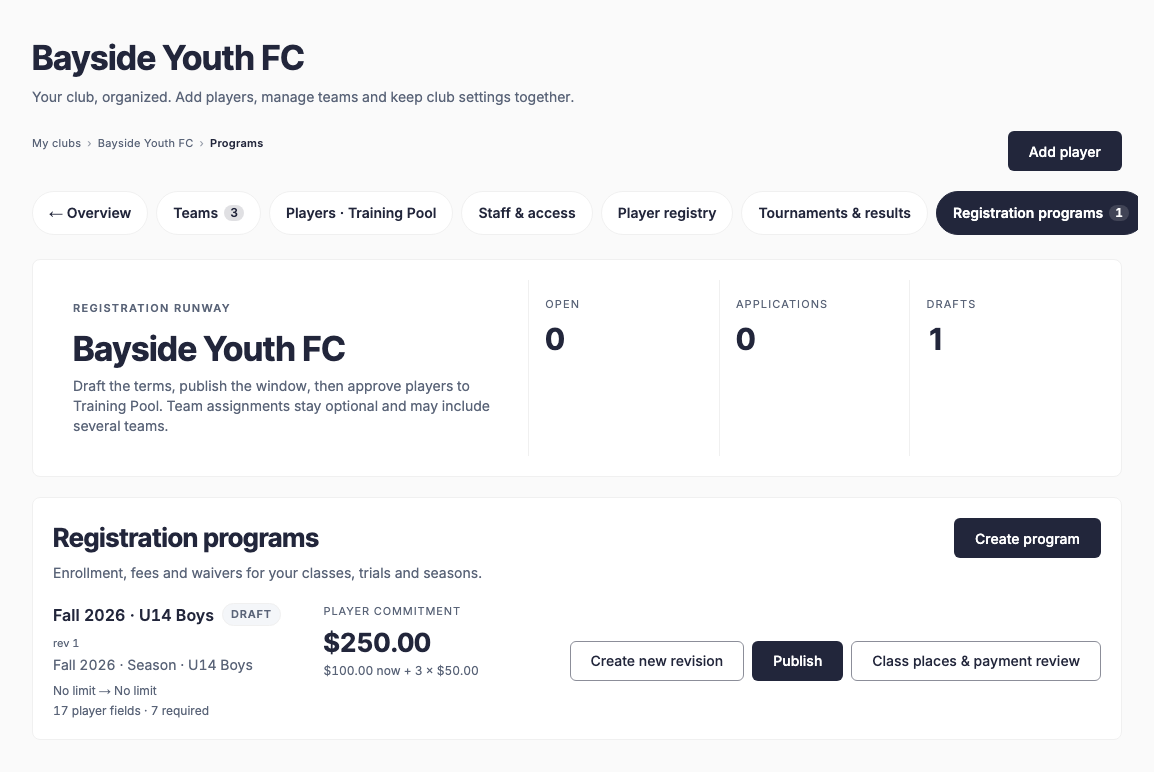
- Open Registration programs in Club Office. Create your offer, select the teams, set the enrollment window and fees, and review the information and waivers you need from participants. Use terms appropriate to your organization.
- Check Payments and the provider setup before opening paid intake. Connect the account that should receive the money and resolve any pending onboarding requirements. Review the fees shown in your payment settings and the current pricing page.
- Share the published registration link. Open it as a participant to check the program, price and required information. In Club Office, verify the registration and payment status before counting it as a paid place.
- Invite members to the same club in EasyChamp Club. They use their own accounts to see their schedule, respond to events and use the features their role allows. A separately branded app has its own setup and publication process; a club subscription does not automatically publish an app in the stores.
Your EasyChamp plan pays for organizer capabilities. Registration fees are what participants pay your organization. Creating a club, saving a program and receiving a successful payment are separate steps. Start with one complete offer, then add more.